Explore data
Browse table data
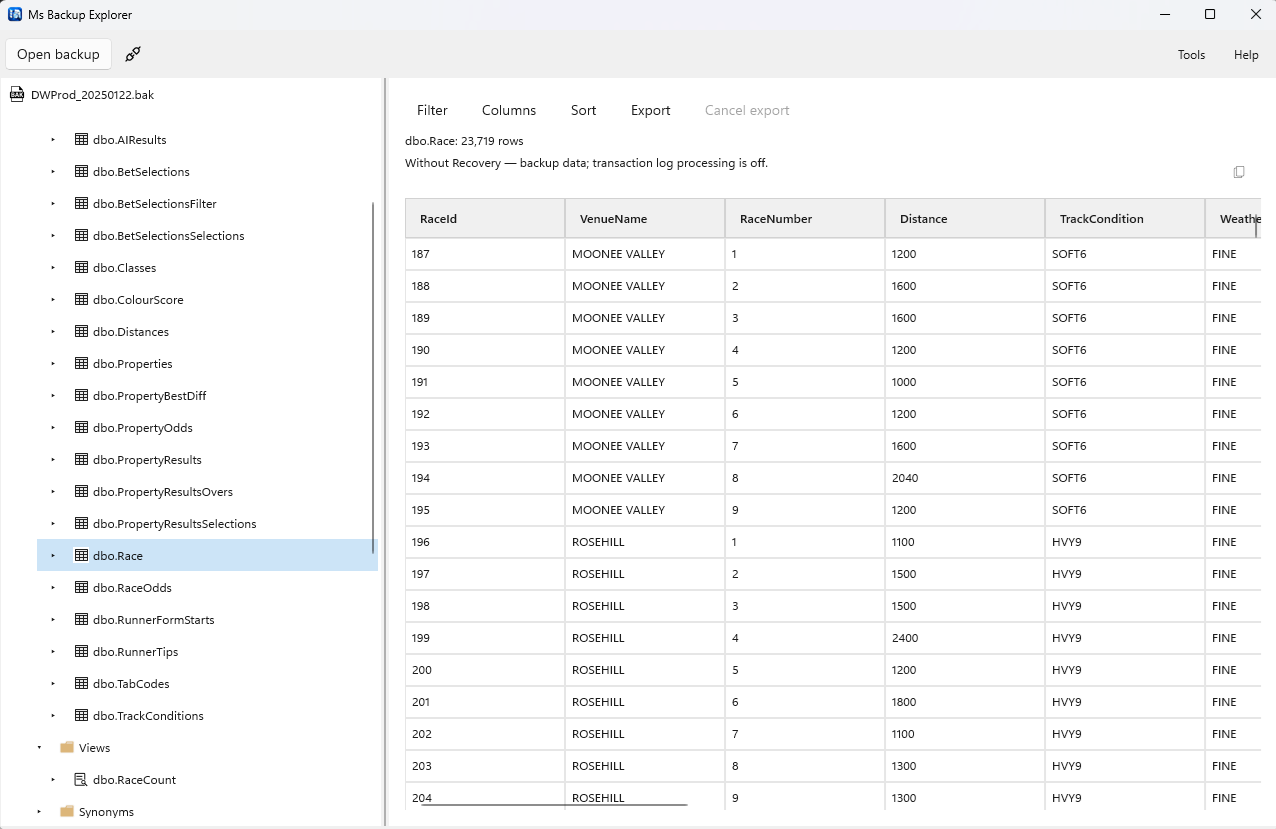
Inspect records and understand the grid controls and row limits.
Open table data
- Expand Tables in the database explorer.
- Right-click the chosen table and select its data action.
- Check the selected row limit and loading or count status.
- Scroll through records, or use Filter, Sort and Columns.
Row limits and loading
Free previews up to 100 rows. Filtering operates within the selected source row limit; applying a filter does not extend that limit.
Loading and counting may run in the background. Wait for filtering and sorting to finish before exporting the current view. Use the available cancel control to stop a running operation.
Selection and output
Selected-row output uses your row selection. Export current view uses the captured filter and visible columns. These are separate actions. Export, save and copy require Pro.