Backups
Open a backup
Choose a backup and navigate its database and available backup sets.
Choose the backup
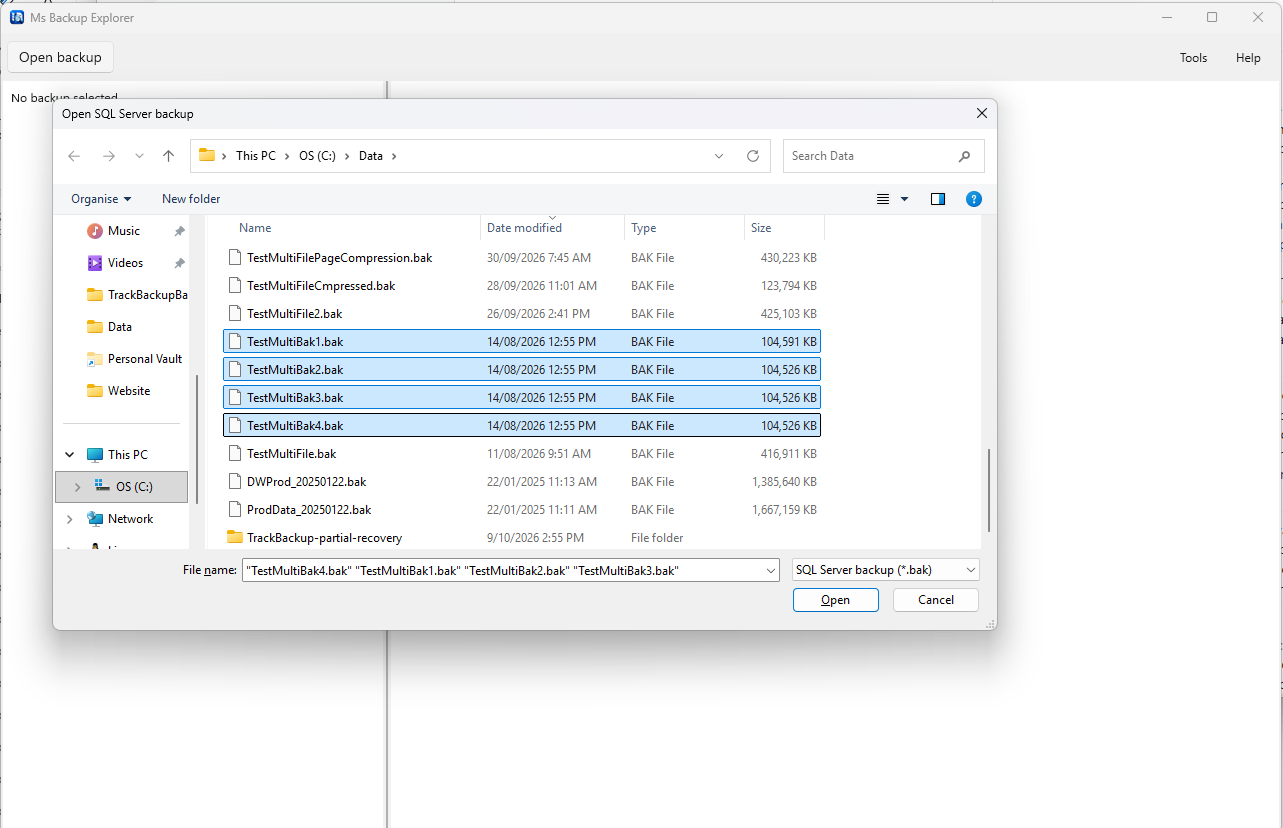
- Select Open backup in the main toolbar.
- Select your backup file, or all required media files for a striped backup.
- If prompted, provide the matching encryption credentials.
- Expand the database and choose a table or SQL object.
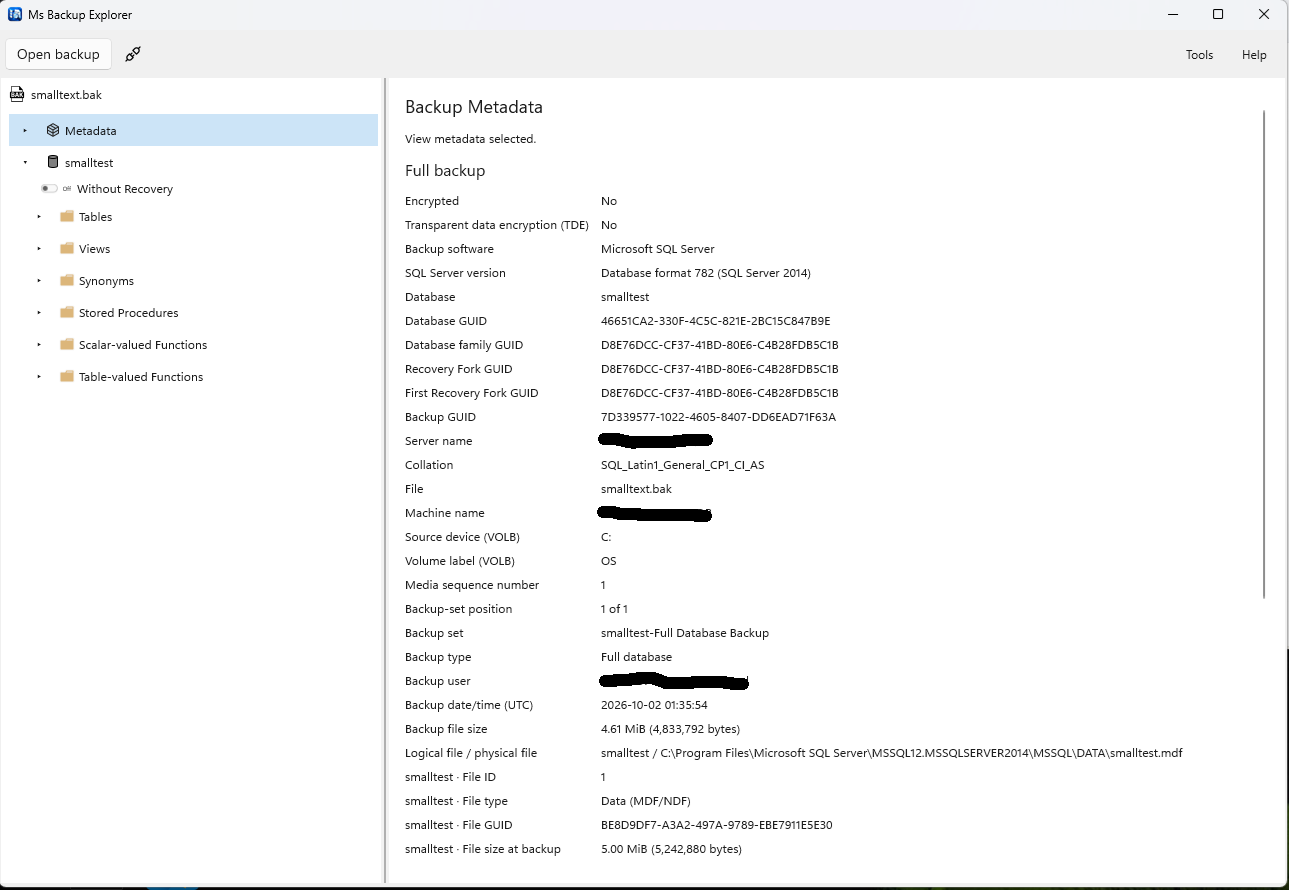
Check the backup information
Review the available backup and database properties. When media contain multiple backup sets, select the intended set before browsing its objects.
Supported compressed backups can be explored directly without restoring into a running SQL Server instance.
If opening fails
Check file access, media completeness and encryption credentials. For suspected damage, use Tools → Check and Recover Backup….
If you have a differential, open its matching full backup first.